
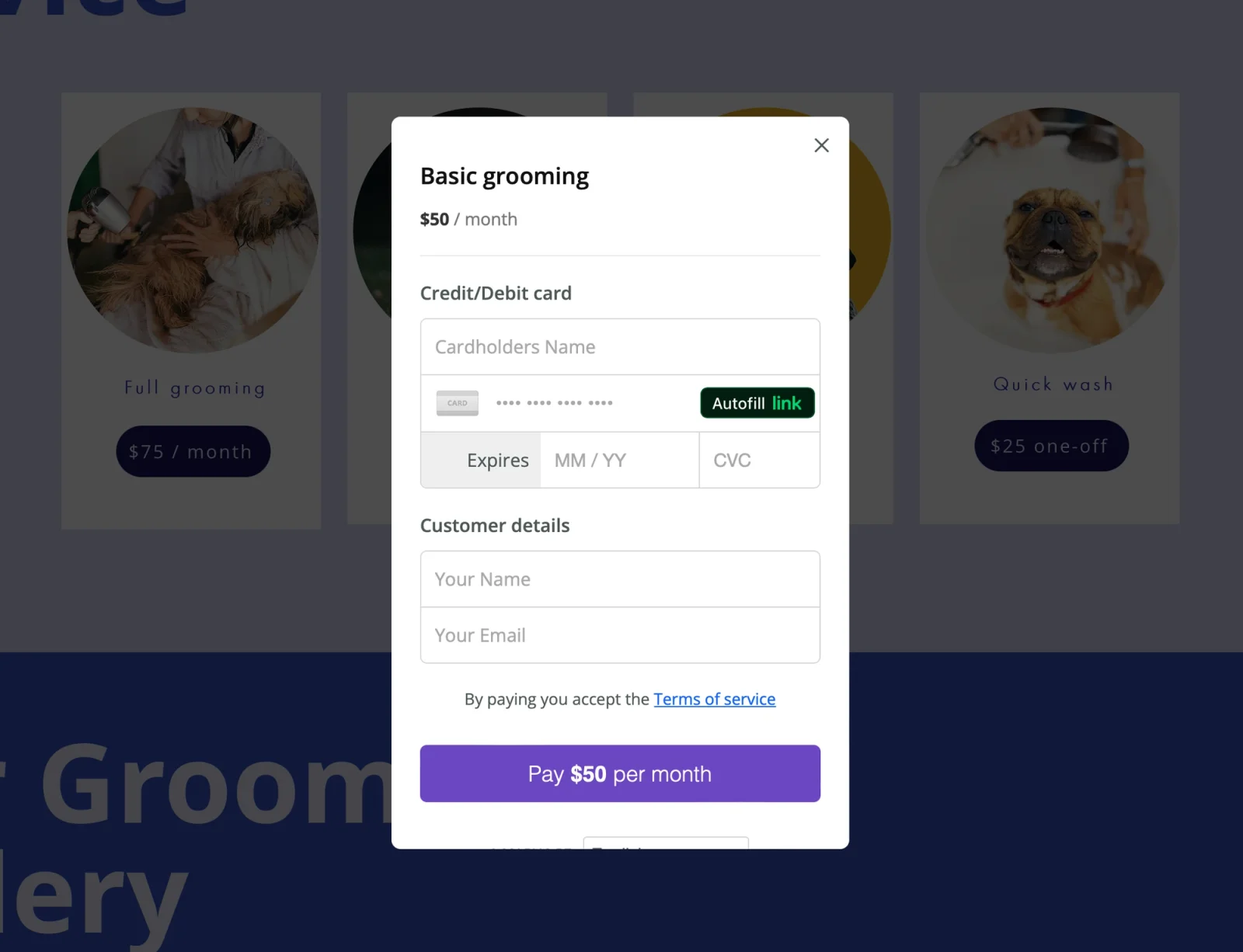
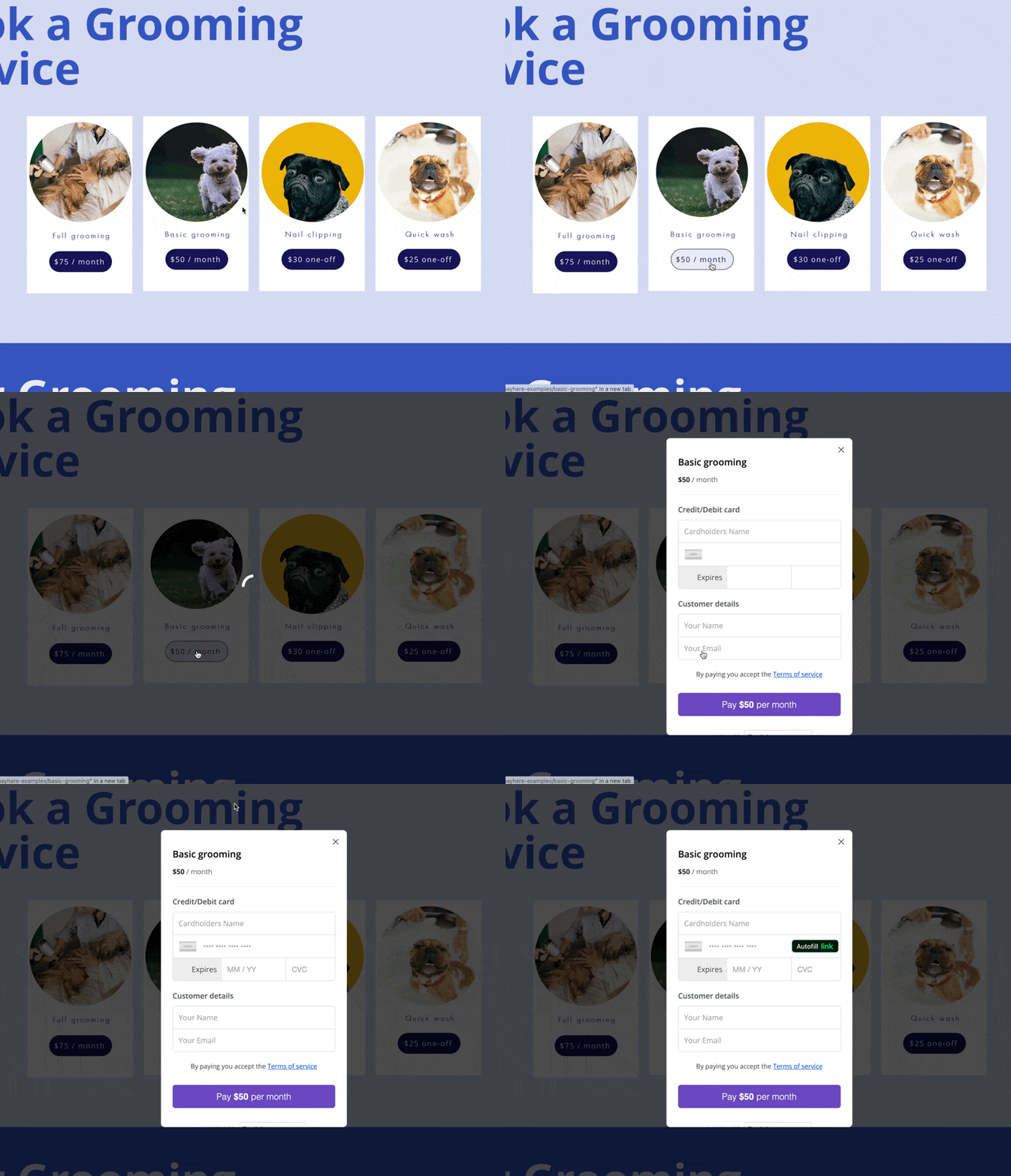
You can take recurring payments from your Wix site without building a billing system. Connect a button to a Payhere payment link first. Then, if your Wix account allows custom code, add the embed script to open that payment page in a modal.
For example, a tutor could offer a monthly lesson membership and a separate one-off introductory lesson. Each button should open its own payment link, with the price and billing schedule visible before the customer pays.
Before you start
Connect your Stripe account to Payhere and make sure you can publish your Wix site. For the optional modal, check Wix's current requirements for custom code on your site and plan; old plan names are not a reliable eligibility check. The linked-button approach is the simpler fallback.
1. Create the links and a next-step page
Create a recurring payment link with the amount, currency and frequency you need. Use a separate one-off link if you also sell a single session. The recurring payment guide covers the billing setup.
Create a Wix thank-you page explaining what happens after payment, then copy its public address into the payment link's success URL setting if you want customers returned there. Hiding that page from the menu does not restrict access to paying customers. Keep private lessons or member content behind a separate access-control system.
2. Link each Wix button
Add a button or a list of services in Wix. Give each button a specific label, select its link setting, choose Web address, and paste the matching Payhere payment link. Save and publish. Check that each button opens the right price before adding any custom code.
The Wix integration walkthrough shows the button and list controls. Keep the direct links working even if you decide not to use a modal.
3. Add the optional modal
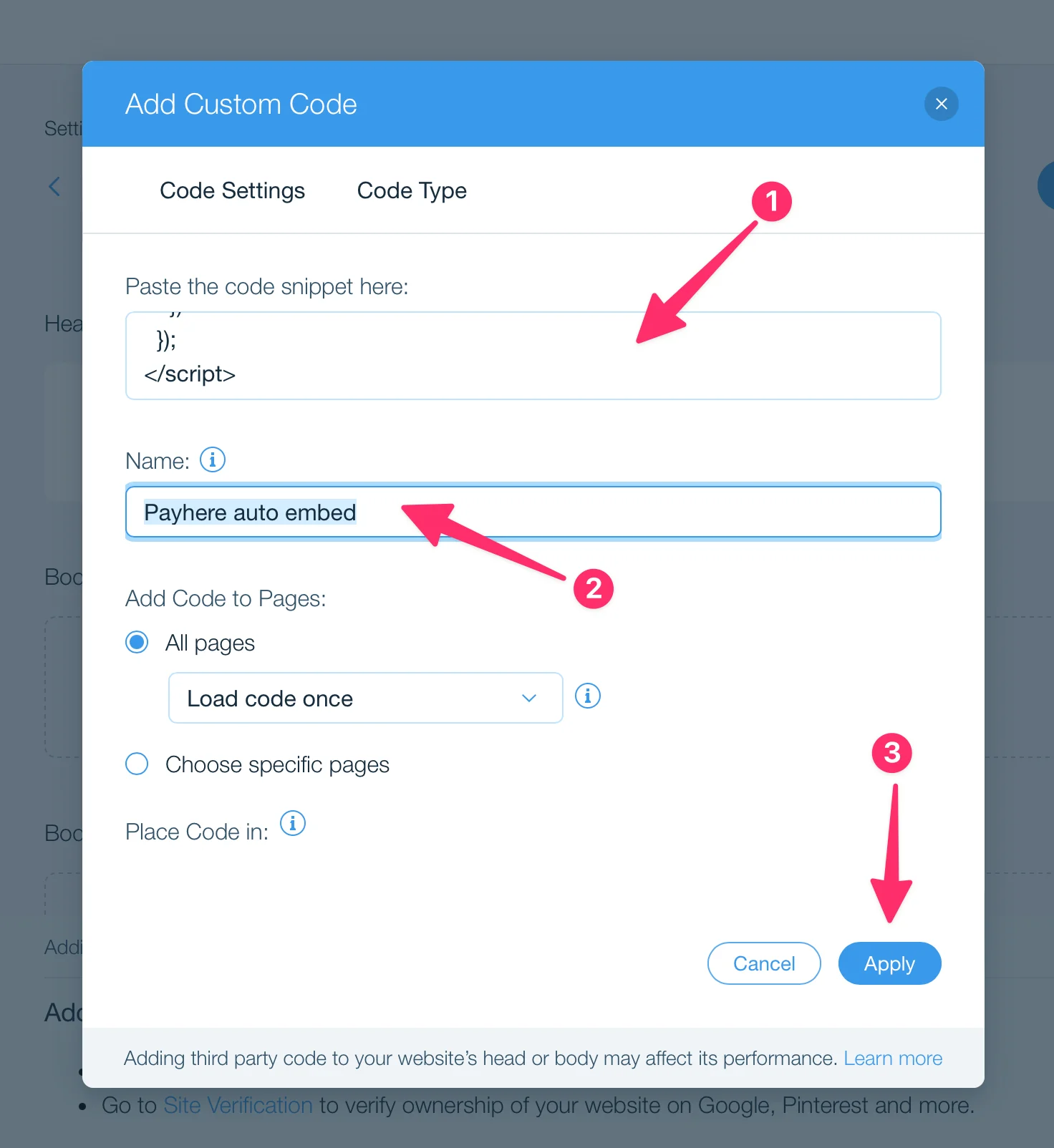
In Wix's custom-code settings, add the following snippet to the head of the pages containing your payment buttons. Name it something recognisable, such as “Payhere payment modal”, apply it, and publish your changes. Editor menu locations can vary.
<script src="https://app.payhere.co/embed/embed.js"></script>
<script>
  document.addEventListener("DOMContentLoaded", function() {
    document.querySelectorAll("a").forEach(function(link) {
      if (link.href.startsWith("https://app.payhere.co/")) {
        link.addEventListener("click", function(event) {
          if (!window.PayHere) return
          event.preventDefault()
          PayHere.launch({ embedURL: link.href })
        })
      }
    })
  })
</script>
Use this on pages where the matching Payhere links are payment links, not account or sign-in links. The script attaches to links present when the page loads; buttons added later by a dynamic page may need a different setup.
Troubleshooting and limits
- The modal does not open: test the published site, not only the editor preview. Check that custom code is enabled and the script is applied to that page.
- The button still opens a normal page: check that its destination starts with the app address used in the snippet. Direct navigation is a valid fallback.
- Payment works but membership access does not: this setup takes payment. It does not automatically grant or revoke Wix member access.
- The wrong thank-you page appears: review the success URL for that payment link and test it outside the editor.