
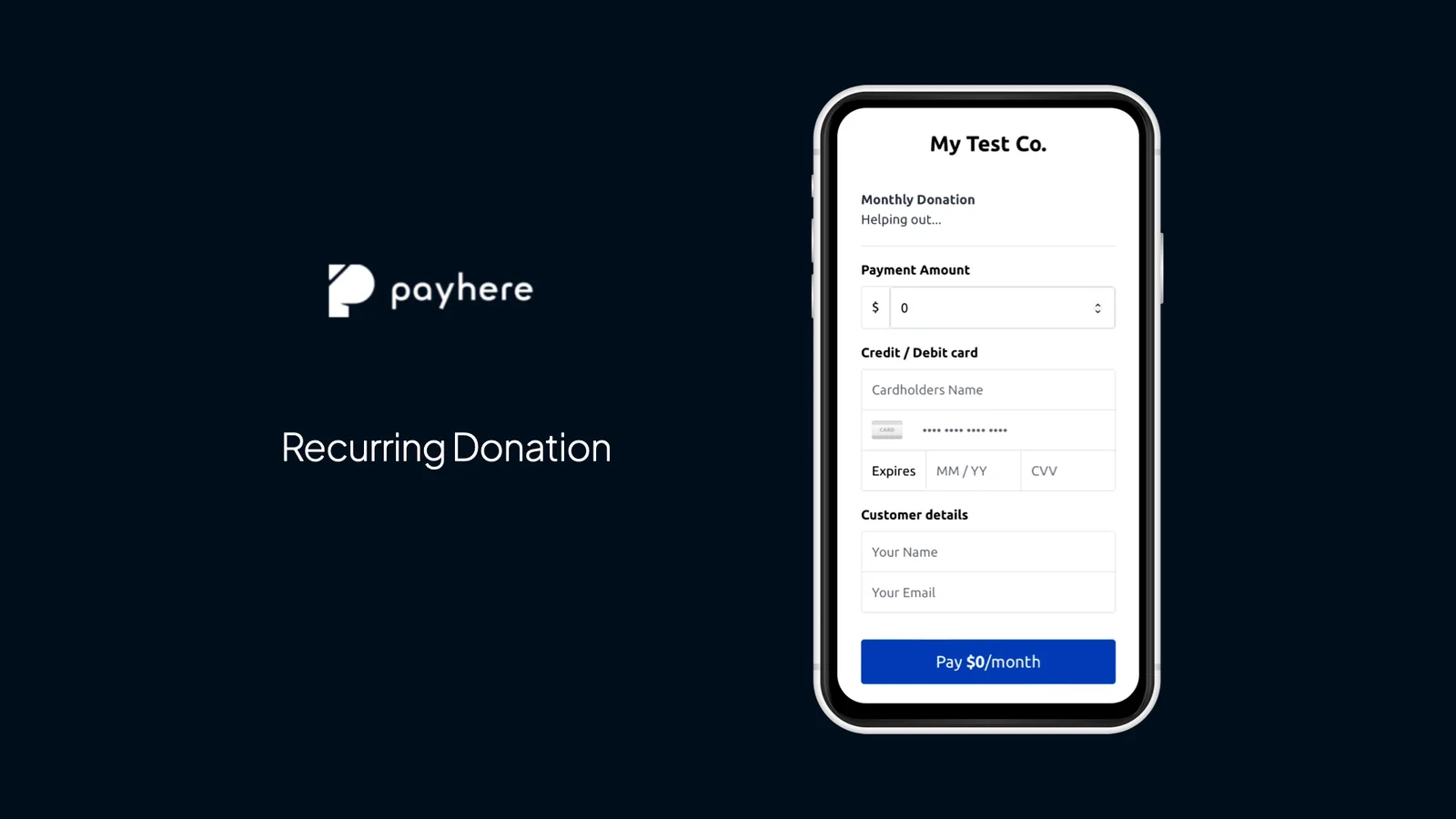
Regular giving lets supporters contribute without returning to make a new payment each time. A recurring donation link lets the donor choose the amount, while you choose the billing interval.
For example, a community group could invite monthly support for its weekly lunch programme. “Choose a monthly gift” is clearer than “Donate” alone: the donor should understand that this is an ongoing payment.
Before you start
You need a Payhere account with Stripe connected, a collection currency and a clear purpose for the appeal. Decide how often gifts should repeat and who donors can contact to discuss their giving.
Create and share your recurring donation link
Select recurring donations
Create a new payment link. Select Donation, then choose Recurring under Payment schedule in Customer-chosen amount. Use this instead of a fixed-price subscription when you want supporters to enter their own amount.
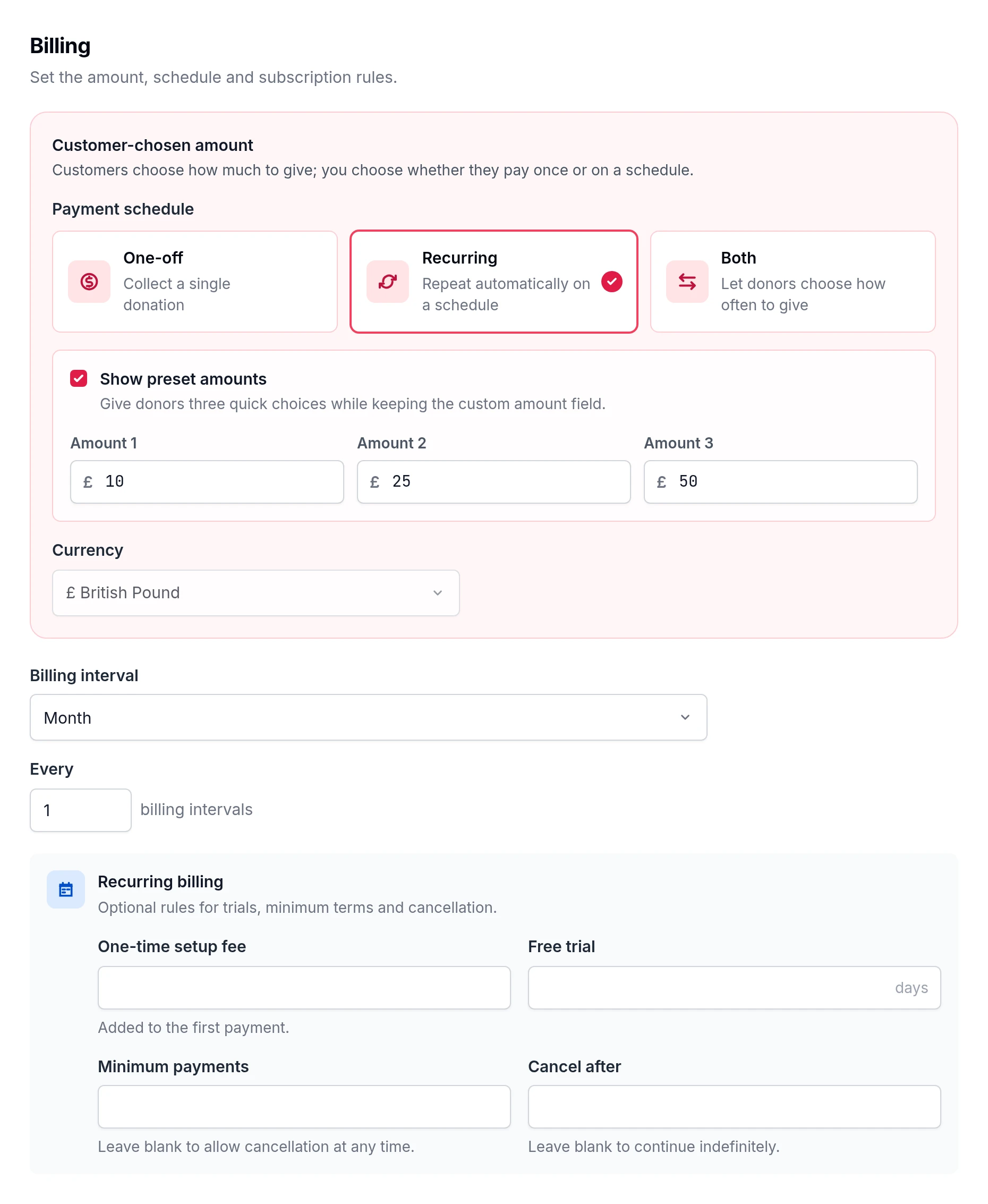
Choose the interval and explain the commitment
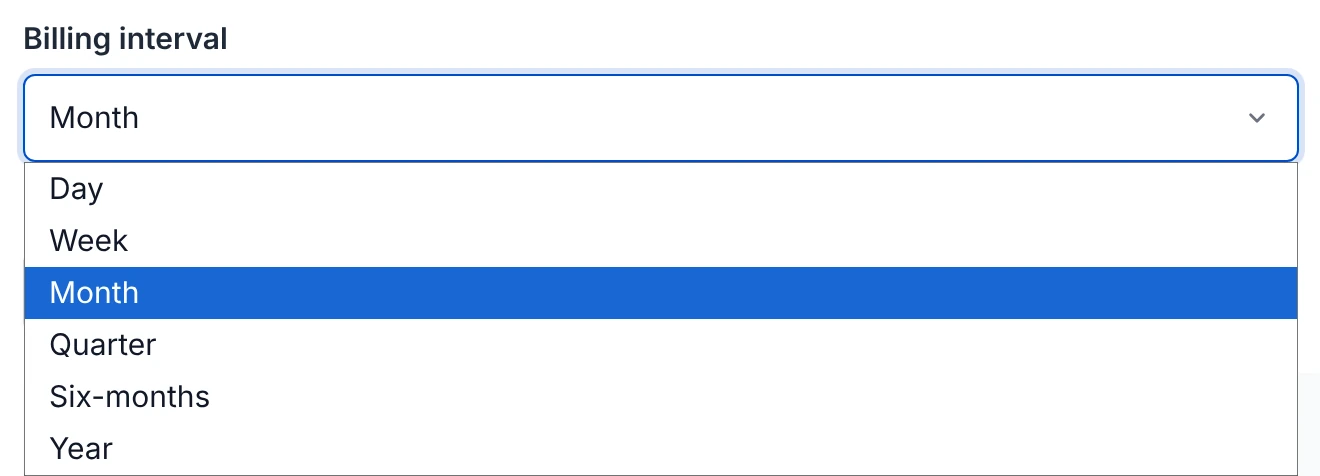
Set a title, description and currency. Choose the billing interval from the available options. For a monthly appeal, put “monthly” in the invitation as well as checking it in the payment settings.
Suggested description (add your real contact details before sharing):
Support our community lunches with a regular monthly gift. Choose the amount that works for you. Contact our team if you have questions about your donation.
Review and share
Save and view the payment page. Check the currency and recurring interval from the donor's perspective. Then copy the link into your appeal, or use its embed code on your website. Keep a one-off donation option alongside it for people who cannot commit to regular giving.
Pitfalls to avoid
- Collect only information you need. A custom field can capture a donor note without turning checkout into a long questionnaire.
- Do not treat a recurring payment setup as a tax declaration.
Ideas for your next appeal
See small church fundraising ideas, church fundraiser ideas for youth and Payhere for clubs and charities. Keep event payments and voluntary giving clearly labelled when you use both.
The original walkthrough video shows an earlier interface.
Create your recurring donation link