

A paid community needs a reason for people to return. That might be a monthly critique session, a regular lesson or a small group working towards the same goal. Start with that promise, then make paying for it straightforward.
Recurring payments can make income and demand easier to plan than separate one-off sales. They do not guarantee either. Members can leave, payments can fail and your delivery costs can change. The useful lesson from our earlier subscription-economy guide is to match a repeat payment to repeat value, not to put every offer on a subscription.
Before you start
Choose where the community will meet and who will manage it. Connect your Stripe account to Payhere. Write down the benefit, billing frequency, cancellation terms and how members get access. A Payhere payment link collects the subscription; it does not run or moderate a private group.
1. Define one offer you can deliver consistently
Pick a narrow audience and a practical outcome. For example: “A monthly portfolio review for freelance illustrators, plus a member discussion group” is easier to understand than “Join my premium community”. An illustrative price might be £15.00 per month. Work out your own price from the time and costs involved.
Ask existing followers what help they actually want. Keep useful public content consistent and make room for conversations, rather than turning every post into a sales pitch. Start with one paid option before adding tiers that increase your workload.
The subscription idea also applies outside online groups. The coffee example below offers a repeat delivery and asks customers for their coffee preference. For a community, the equivalent might be asking which review session a member wants to attend. Only collect information you will use.
2. Create the recurring payment link
Create a recurring link with the name, price, currency and billing interval. State what the customer receives each period and how cancellation works. Use the recurring payment guide for setup, and custom fields for relevant preferences.
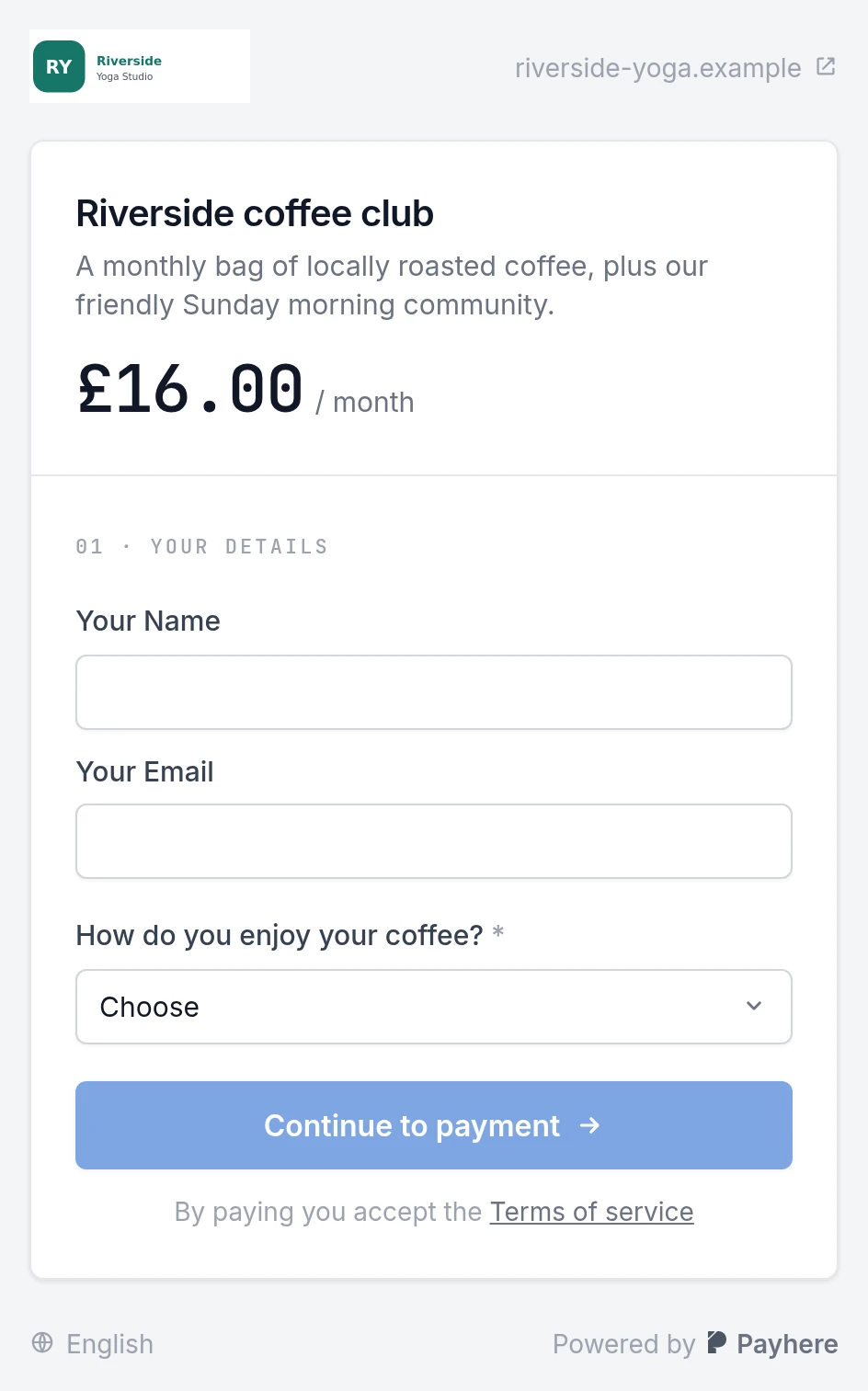
Share the payment link directly, or add it to a storefront with your logo and a short description. Put that link where interested followers already look: a profile, newsletter or relevant community post. Do not make them search through unrelated pages to find the offer.
3. Welcome members and review renewals
After confirming a subscription in Payhere, send the joining instructions for your chosen community platform. If you use a success page, explain when that invitation will arrive and who to contact. Do not put a reusable private-group invitation on an unprotected public page.
Keep a list of what you owe members each month and a routine for checking active subscriptions. If you automate access through another tool, configure and test that separately, including cancellations and failed payments.
For a simple planning example, five members joining in month one, seven in month two and eight in month three would produce 20 members only if all remain subscribed. Use actual renewals and departures in your forecast, not just new signups.
Troubleshooting and limits
- People follow but do not subscribe: make the paid benefit and schedule more concrete before adding more tiers.
- Members paid but cannot join: check your invitation process and the email address used for payment.
- A member cancels: follow your published terms and update access in the community platform. Payment collection alone does not remove a member.
- The workload grows faster than revenue: review group size and delivery commitments. Recurring revenue is not passive income.
For one-off workshops or voluntary support alongside your subscription, see how creators get paid.
Create your community subscription link