
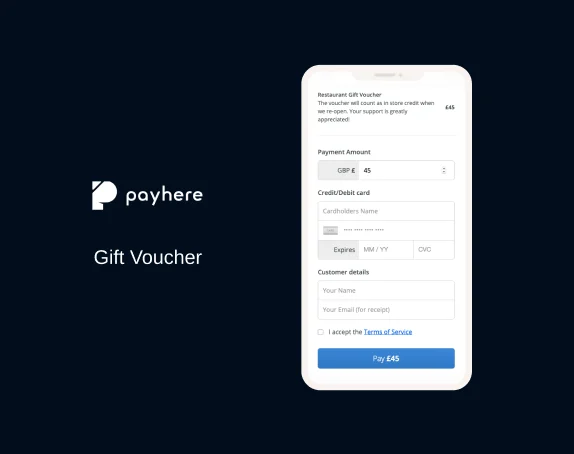
Someone wants to buy a treatment at your salon as a birthday gift. They don't know which treatment to choose, and they can't come in to collect a voucher. You'd like to help without a long exchange of messages.
A Payhere payment link and an emailed gift certificate can handle that. Payhere collects the payment; you prepare and send the certificate. There's no online store to build.
Here's how to make a gift certificate that's easy to buy and easy to redeem, whether you call it a certificate or a gift voucher. We'll cover the offer, payment, delivery and keeping track of what's left to spend.
If you've already settled on your offer, create your gift certificate payment link and follow the setup below.
Give the buyer an easy choice
For a first gift certificate, start with a fixed amount of credit towards a purchase. A $50 salon voucher lets the recipient choose their treatment, while the buyer knows exactly what they're spending. Explain how the recipient pays any difference if their treatment costs more.
A named experience, such as afternoon tea for two, can feel more personal. It also takes more explaining: which menu, which days and whether drinks are included. Choose this when you can describe the whole experience clearly and honour it at the advertised price.
Let buyers choose the amount if customers regularly ask for different budgets. Use your business's supported currency; the dollar amounts here and pound amounts in the screenshots are examples, not Payhere fees.
Before sharing the offer, answer the buyer's practical questions: “When will it arrive?”, “How does the recipient use it?” and “What happens if they don't spend it all?” Check the gift certificate rules where you operate before setting expiry dates, restrictions or fees. US state rules and UK requirements can differ.
How to create a gift voucher payment link
With the offer decided, connect your Stripe account to Payhere. You're ready to give the buyer somewhere to pay.
Set the value and payment type
Create a one-off fixed-price payment link for your set-value certificate. Give any additional values their own clearly named links.
For custom amounts, select Donation, then One-off under Customer-chosen amount. Here, “Donation” lets the buyer enter a gift value; it doesn't make the purchase charitable. Choose a single payment, not recurring.
Use a title such as “Salon gift certificate” and describe what the recipient can spend it on. If you need a minimum value, check what your checkout enforces before advertising one; writing it in the description doesn't enforce a limit.
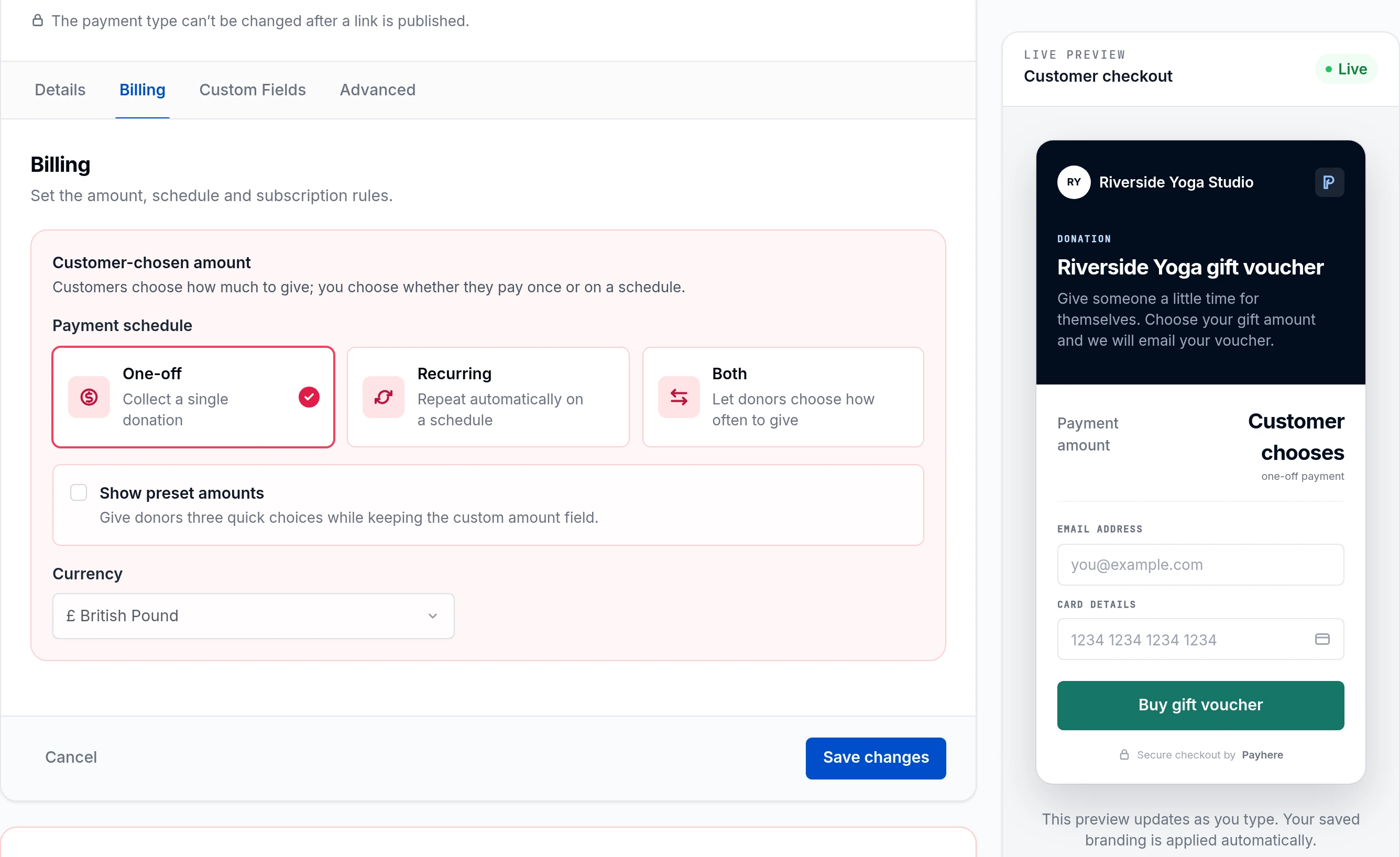
Existing Payhere development-UI capture with fictional demo data. The merchant must arrange the promised voucher email. Collect gift details and explain delivery
Add custom fields for the recipient's name and optional gift message, saving another email exchange. You'll find answers in the payment confirmation email and by opening the payment in your dashboard.
Send the finished gift to the buyer's checkout email address so they can forward or print it when they're ready. Explain this before payment: asking for a recipient's name doesn't arrange delivery to that person.
In advanced settings, add receipt text with your delivery timescale and support contact. “We'll email your certificate within one business day” is useful reassurance, provided someone will check and send orders within that time.
Review checkout and share the link
Save the link and open the customer-facing checkout, including on your phone. Can a buyer tell what they're buying, how much they'll pay and when the gift will arrive? Check the currency and gift fields too.
Copy the link into your website's gift voucher button, an email or a WhatsApp reply. If you have several offers, a Payhere storefront can put them on one page. For a single certificate, a direct link is enough.
What does it cost to sell gift certificates?
Designing the certificate and taking payment have different costs. You can use a free design template, but an online sale still incurs payment fees.
Payhere's pricing page currently lists Starter at $0 per month plus 1.5% per transaction, excluding Stripe card-processing fees. Business is $149 per month with the same transaction fee; Enterprise pricing is tailored. Check the current plans before choosing one.
On a $50 sale, Payhere's 1.5% is $0.75. Stripe fees are additional and vary by country and transaction; see Stripe's pricing. The customer still gets $50 of voucher value, even though you receive less after fees. Budget for that difference and the time you'll spend sending each gift.
Create and email the digital certificate
Once you've confirmed a successful payment in Payhere, turn it into something the buyer can give. A PDF works well for forwarding and printing; a neatly formatted email is enough if you don't need an attachment.
Use Canva, Adobe Express or your document editor for the design. Include your business name, the value and currency, a unique reference, redemption instructions and a support contact. Add the recipient's name and gift message if supplied. Keep the buyer's payment details off the gift.
Here's wording you can adapt. Replace every bracketed field; keep the unused-balance sentence only if your terms allow partial redemption.
A gift for [recipient name]: [amount and currency] to spend at [business name]. Your gift certificate reference is [unique reference]. To book, contact [booking details] and mention your certificate. Present it when paying. Any unused balance stays on this reference. Questions? Email [support email]. Full redemption terms: [terms link].
Give every paid certificate a different reference. Check it against the order, email it to the buyer and record when you sent it. Watch for bounced emails, especially for last-minute gifts.
Track purchases, redemption and remaining balances
When the recipient arrives, your team needs to answer two questions: is this certificate valid, and how much is left? A shared spreadsheet can work for a small number of vouchers. Restrict access to the people who need it and record:
- Voucher reference and related Payhere payment reference.
- Buyer contact, original value and currency.
- Issue date, delivery status and remaining balance.
- Each redemption's date, amount and staff member.
- Any cancellation, refund or replacement reference.
Payhere's dashboard confirms the payment; your register records what's been spent. Keeping both references lets you trace a gift back to its purchase.
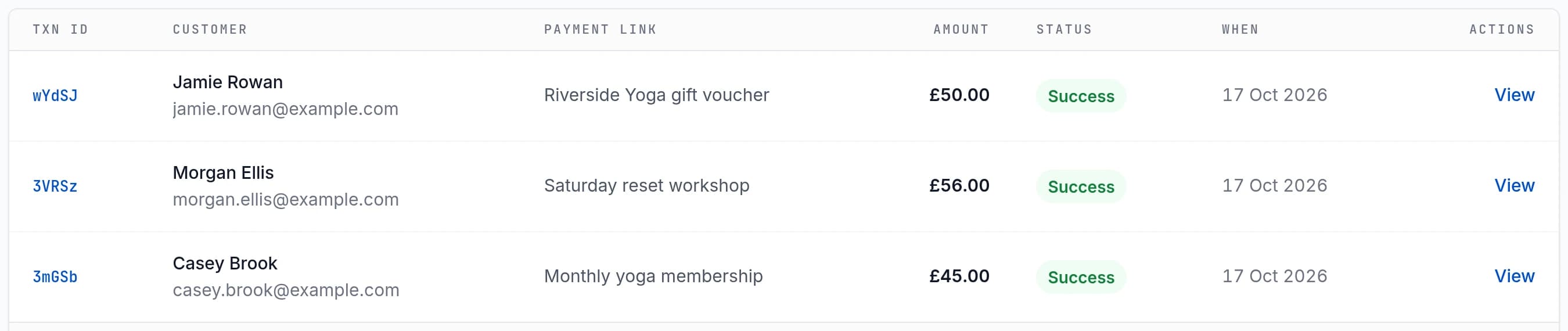
Before accepting a certificate, find its reference and check the balance. For example, if a $50 certificate pays for a $35 treatment and you allow partial use, record $35 redeemed and $15 remaining. Marking it simply “used” would leave the recipient's remaining credit unclear.
Have staff update the same record immediately, with one person handling a redemption at a time to avoid accepting the same balance twice. If you replace a lost voucher, invalidate the old reference and transfer only the verified remaining credit. For refunds, update the register too, so the refunded gift can't still be spent.
Selling restaurant gift vouchers
A restaurant voucher needs to make sense both as a gift and when the bill arrives. “$75 towards dinner” gives guests flexibility. “Dinner for two” sounds more complete, but leaves questions unless you explain the courses, drinks and any supplements.
For a first offer, monetary credit is usually easier to explain. If you sell a meal experience instead, have front-of-house staff read the description: could they tell a guest exactly what's included? State any booking requirements and explain how tips or service charges are handled, in line with local rules.
Share the payment link on your restaurant website and send the certificate to the buyer as promised. At redemption, staff check the reference and update your register. The Payhere payment record doesn't automatically connect to your till or reserve a table.
Make a printable gift certificate
Some buyers will want something to put in a birthday card rather than forward an email. Offer the same certificate as a PDF, with readable text and a reference that's easy to find. Test-print it on ordinary paper in black and white; pale text and decorative backgrounds can disappear.
The printout and digital version should share one reference and balance. That way, presenting a second copy doesn't create a second gift.
Gift certificate questions
How do I make a gift certificate for my business?
Choose what the gift buys and create a payment link. Once paid, email the buyer a certificate with a unique reference and redemption instructions. Keep a register so your team can check its balance when it's used.
Can customers choose their own gift voucher amount?
Yes. Select Donation in Payhere, then One-off under Customer-chosen amount. The buyer can enter a value rather than pay a fixed price. The Donation label doesn't make the purchase charitable.
Does Payhere automatically send and redeem gift certificates?
Not in the setup described here. Payhere collects payment; you create and email the certificate and record redemptions yourself. Receipt instructions and custom fields don't automate those jobs.
Can I make a printable gift certificate for free?
You can design one with a free template or document editor, though online payment fees still apply when you sell it. Use the same reference on the printout and digital copy so they share one balance.
You don't need a whole gift shop to sell your first voucher. Choose one offer, prepare the certificate and give your team a record they can use. Then create your gift voucher payment link and share it where customers already ask about gifts.