
When a customer is ready to move ahead with your Qwilr proposal, give them a clear way to pay. You can link text to a Payhere payment page or show the form inside the proposal with an iframe embed.
For example, a designer might request a £300.00 project deposit, while a consultant might offer a £500.00 monthly retainer. These are different commitments: use a one-off payment link for the deposit and a recurring link for the retainer.
Before you start
Connect your Stripe account to Payhere and make sure you can edit and share the Qwilr document. Check that your Qwilr account supports iframe embeds if you want that option. Agree the scope, payment schedule and cancellation or refund terms before asking the customer to pay.
1. Create a payment link that matches the proposal
Enter the amount, currency and payment type in Payhere. Give the link a recognisable name and description, such as the project and deposit stage. For a subscription, state what each recurring charge covers. Save and copy the full payment link.
Keep the amount and terms consistent in both places. If the proposal changes, review the payment link too; this setup does not synchronise proposal prices with Payhere. For staged projects, see payment plans before choosing a billing structure.
2. Add a text link or embed
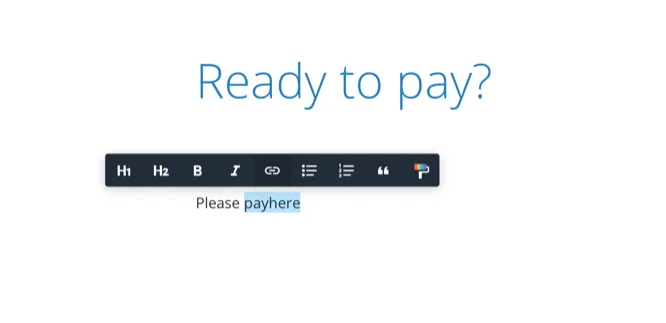
Text link: write a clear action such as “Pay the project deposit”, highlight it in Qwilr and insert the Payhere payment link as its destination. This is the simplest option and a useful fallback for an embedded form.
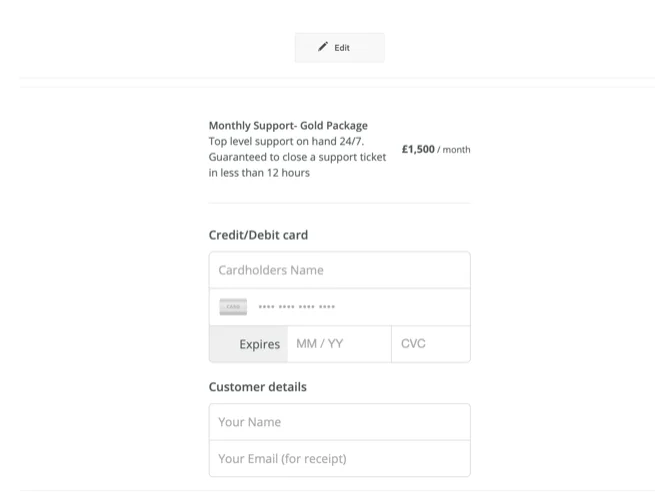
Embed: add an embed block in Qwilr, choose the iframe option and paste the payment link. The Qwilr integration guide also documents adding ?embedded=yes for a stripped-down payment-page view. If your link already has query parameters, use &embedded=yes instead of a second question mark.
3. Review the shared document
Open the published proposal as a customer, not only in the editor. Check that the link or form shows the agreed amount and schedule. On a phone, confirm that the full form and payment button are visible.
Explain the next step in the proposal: “Once the deposit is confirmed, we will email to arrange your kickoff call.” Confirm the payment in Payhere before starting work or treating the invoice as settled.
Troubleshooting and limits
- The embedded form is clipped: increase the space available or use a direct text link.
- The price is outdated: review both the proposal and saved payment link after a scope change.
- A customer accepts but has not paid: proposal acceptance and successful payment are separate events in this workflow.
- You need automatic project creation or contract updates: configure that separately. A payment link does not update your proposal or project-management system by itself.
For a standalone request outside a proposal, see how to invoice with a payment link.
Create a payment link for your Qwilr proposal