Site Builders
WixWebStartsApp Builders
BubbleGlide AppsTools
QwilrZoomGuides
Add payment links to your WebStarts websiteChurch fundraiser ideas for youth: trips, camps and retreatsCreate payment plans, minimum terms and free trialsCreating a one-off donation payment linkCreating a recurring donation payment linkCreating a recurring payment linkCreating coupons in PayhereCreating your Payhere storefrontEmbed your Wix recurring payment linksGet paid on Zoom with Payhere payment linksHow to make a gift certificate and sell it onlineHow to monetize your community with recurring paymentsHow to send an invoice with a payment linkIf you are a creator, how do you get paid?Is Stripe best for your small business?No-code subscription payments using Bubble and PayherePayment link advanced settings and brandingSell your online course with a payment linkUsing custom fields to collect more informationUsing Payhere with QwilrAccept Payments & Subscriptions using Qwilr with Payhere
Several of our customers are using Payhere in conjunction with Qwilr to send out proposals. It seems a very fast and efficient way of getting things going. If your customer likes the proposal, Payhere then helps get the one off or recurring fee paid/setup.
Here are two quick and simple ways to integrate Payhere into Qwilr.
1. Link text to your plan URL.
Enter your text and highlight the word you want to link to your plan.
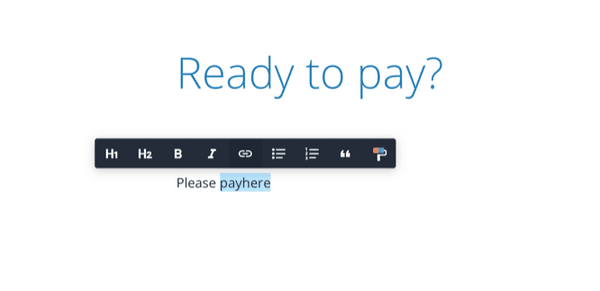
Insert the URL link to your plan.
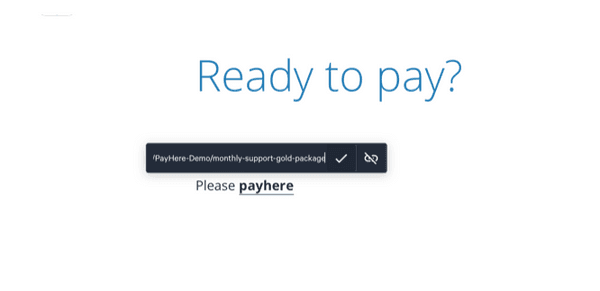
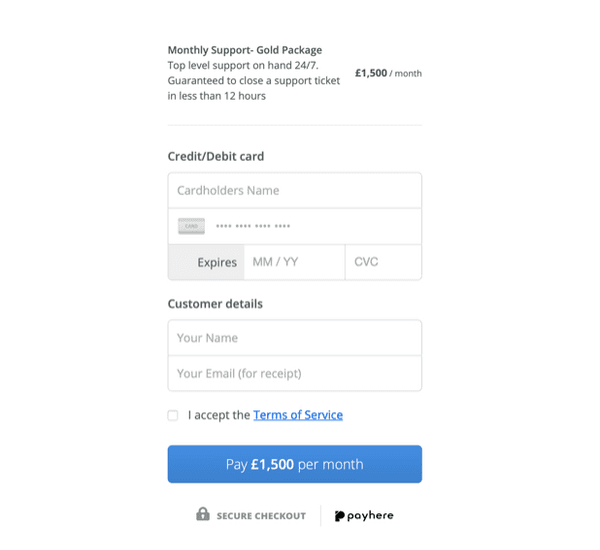
This will take your customers straight to your plan to enter their card details.
2. Embed Payhere into your document
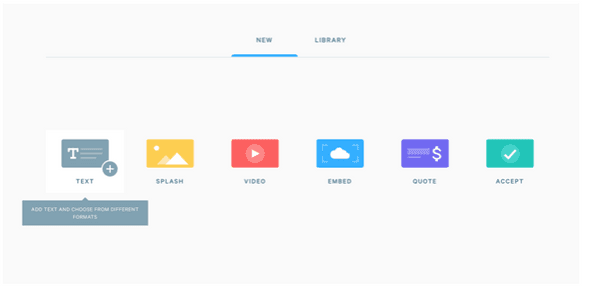
Add a new block and select the embed option.
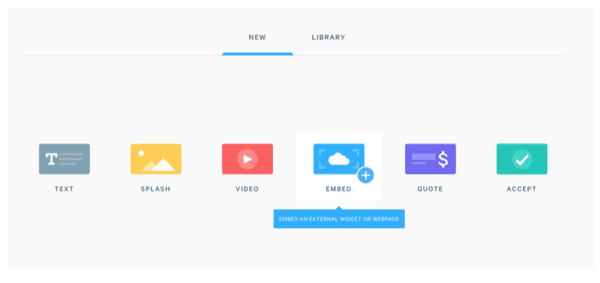
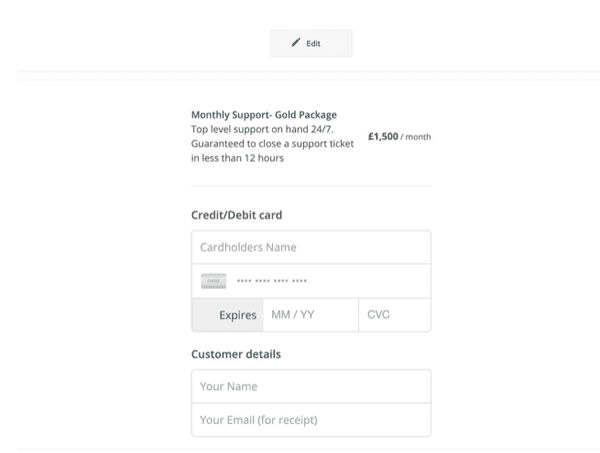
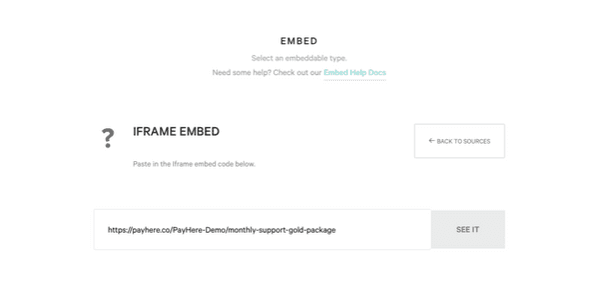
Select the iframe embed option and then enter your plan URL. You can optionally place ?embedded=yes onto the end of your URL to use a more stripped down version of the UI.
Your plan will then appear within the document, meaning that customers do not have to leave the page to pay you.